
Bhoomi RTC Online Karnataka – Land Records, Pahani, Mutation
Everything You Need to Know About Karnataka Land Records
From checking your Pahani to downloading a certified i-RTC — this is your no-nonsense, step-by-step guide to every land record service the Karnataka government offers digitally. No office visits. No middlemen.
- 20M+: RTC records digitized
- 175: Taluks covered
- 6,000+: Gram Panchayats
- 6.7M+: Farmers served
Bhoomi RTC Online Land records in Karnataka used to mean long queues at a revenue office, a village accountant’s discretion, and paperwork that took weeks. That era ended in 2000. Today, the bhoomi portal — Karnataka’s official digital land management system — puts 20 million records directly in your hands, 24 hours a day, seven days a week.
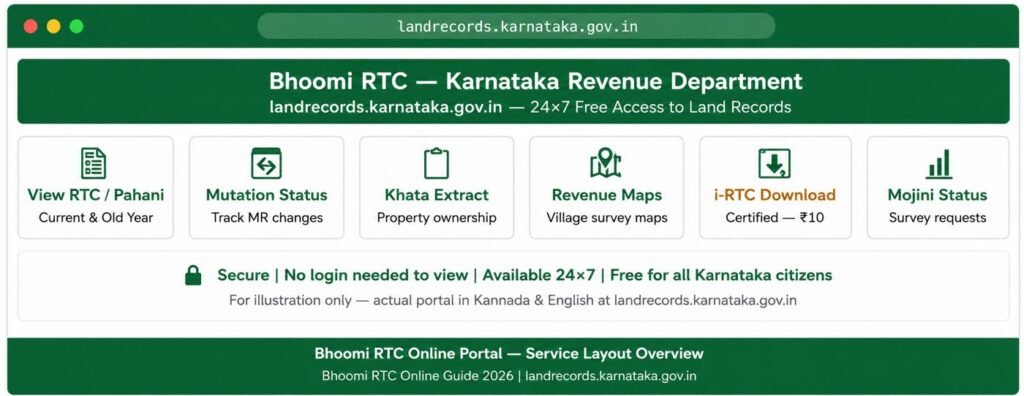
Whether you want to verify ownership before buying a plot, apply for a crop loan, or track a stuck mutation request, this guide walks you through every step clearly. No fluff. No legal jargon you can’t decode.
Official Portal
The only official Karnataka land records website is landrecords.karnataka.gov.in. Dozens of lookalike private sites exist — always verify the URL before entering any details.
What Is RTC (Pahani)
RTC stands for Record of Rights, Tenancy and Crops. Locally, people call it bhoomi pahani. Think of it as the official biography of a piece of land — it tells you who owns it, who cultivates it, what crops grow there, and whether any bank has a claim on it.
Every RTC is a 13-column document. Most people check only Column 9 (owner name) and Column 12 (crop details). But the most legally sensitive column is Column 3 — Tenancy. If you see a “Genide” entry there, it signals protected tenant rights under the Land Reforms Act. Buy that land without clearing this, and you could face restrictions on resale or conversion for years.
RTC vs Pahani vs i-RTC vs Khata
Confusion about these terms costs people time and money. Here is a plain-language comparison:
| Document | What it is | Used for | Cost | Legal value |
|---|---|---|---|---|
| RTC / Pahani | Land rights record (agricultural) | Loans, disputes, ownership proof | Free to view | Informational |
| i-RTC | Digitally signed certified RTC | Court submissions, bank loans | ₹10–15 | Legally valid |
| MR (Mutation Register) | Record of ownership changes | Track land transfer history | ₹15 | Official record |
| Khata Extract | Municipal property ownership doc | Urban tax payments, approvals | Free to view | Municipal use |
| e-Aasthi record | Urban Bengaluru land record | City property transactions | Varies | Municipal legal |
⚠ Urban Bengaluru landowners: Bhoomi RTC Online covers agricultural and rural land only. If your property is within Bengaluru’s urban limits, your records sit in the e-Aasthi database, not on the Bhoomi system. Don’t waste time searching here for a city flat or commercial plot.
How to View RTC Online
Accessing karnataka rtc online takes less than three minutes when you have the right details ready. Follow these steps on the official portal:
- Open karnataka.gov.in in your browser. No login needed just to view.
- Under RTC Services, click “View RTC and MR”. Choose Current Year for the latest record, or Old Year if you need a historical copy (also called the 78 RTC).
- Select your District → Taluk → Hobli → Village from the dropdown menus in that exact order.
- Enter your Survey Number, then select the Surnoc (sub-section) and Hissa No. (plot subdivision) if applicable. Click Go.
- Click “Fetch Details”. Verify the owner name and land details shown match your record, then press View.
Don’t know your survey number? Use the Owner Wise Search — enter the landowner’s name and father’s name to find the record. You can also search via Registration Number and Date if you have your sale deed details handy.
How to Download an i-RTC
A regular RTC view is informational. For court hearings, bank loan applications, or property registration, you need the bhoomi i wallet service — which generates an electronically signed PDF that government offices and banks accept as proof of ownership.
- On the Bhoomi homepage, click “i-RTC” under RTC Services. Log in with your User ID and password, or register as a new user using your Aadhaar-linked mobile number.
- Add money to your i-Wallet via UPI, Net Banking, or debit card. The fee per certified copy is ₹10 for RTC and ₹15 for a Mutation Extract.
- Search for your land using District, Taluk, Hobli, Village, and Survey Number. Click “Pay and Print”.
- The PDF downloads immediately. Save your Transaction ID / PRN number right away — it is the only way the helpdesk can trace your payment if the download fails.
The Bhoomi server undergoes maintenance most nights between 10 PM and 12 AM. Payment gateways also run slower during peak weekday hours. Download your i-RTC in the morning for the smoothest experience.
Checking Bhoomi Mutation Status
When land changes hands — through sale, inheritance, gift, partition, or a court order — the government record must update to reflect the new owner. That update process is called mutation. Without it, the old owner’s name stays on the RTC even after you’ve registered the sale deed.
To check status, go to “View RTC and MR”, enter your land details, and click the Mutation Status tab. The result shows one of three states: Pending, Approved, or Rejected.
How the Mutation Workflow Actually Works
Most people don’t know that mutation moves through four human checkpoints before approval. Once your sale registers at the Sub-Registrar’s office (via Kaveri 2.0 portal), a digital trigger called a J-slip pushes the data to Bhoomi. It then passes through:
Village Accountant (VA)
First checkpoint. Verifies the transaction matches existing records.
Revenue Inspector (RI)
Visits the land physically. If
stuck here over 30
days, visit Nadakacheri.
Shirastedar
Confirms no active
court stays on the survey number.
Tahsildar
Final approving authority.
Digitally signs
the mutation order.
Important 2026 update: Since April 2024, mutations that don’t require field verification — such as bank mortgages and court orders — process automatically within 24 hours. If your J-slip has a name spelling mismatch between the Sub-Registrar’s record and Bhoomi, the auto-mutation fails. Fix this by submitting a Rectification Application at your nearest Bhoomi service centre.
Timeline to expect: Registered mutations (sale-based) take up to 32 days. Unregistered mutations (inheritance/partition) take up to 40 days. If either drags past 50 days, the system automatically escalates to a senior officer.
Tracking Mojini Status Karnataka
Mojini handles land survey and sub-division mapping requests. If you plan to sell part of a plot, you must first get an 11E Pre-Mutation Sketch — the proposed sub-division drawing. Without it, the Sub-Registrar won’t register the partial sale.
- Visit the Mojini portal (linked from the Bhoomi homepage under Other Services).
- Click Mojini Application Status. Select Latest Record or Archived.
- Search by Application Number, Mobile Number, or Survey Number — whichever you have.
- Fill in District, Taluk, Hobli, Village, Survey Number, and click Get Status.
The Karnataka government launched the Svavalambi scheme specifically to cut the 60-day survey wait. It lets citizens create their own sub-division sketches online. If you’re selling part of a plot and the survey queue is long, this is your shortcut.
Bhoomi Portal Fees
| Service | Fee | Payment Method |
|---|---|---|
| View RTC / Pahani online | Free | No payment needed |
| Certified i-RTC download | ₹10 | i-Wallet (UPI / Net Banking) |
| Mutation Extract download | ₹15 | i-Wallet |
| Tippan / Survey Map | ₹15 | i-Wallet |
| View Khata Extract | Free | No payment needed |
| Land registration stamp duty | 2% (revised Aug 2025) | Bank / SBI online |
Protect Your Land
Digitization cut manual corruption significantly. But it opened a new threat: fraudsters using fake IDs to initiate mutations or change the mobile number linked to your Aadhaar on Bhoomi. Land sits untouched for years — and that silence is dangerous.
Build this Quarterly Digital Watch Routine:
- Log into Bhoomi every three months and view your RTC. Check Column 9 (your name) and the mutation status tab even if you haven’t applied for anything.
- If you see a Pending mutation you never applied for, file an objection with the Tahsildar immediately. The 30-day public notice window is your protection.
- Complete Aadhaar seeding on the Bhoomi portal — only 53% of Karnataka landowners have done this. It locks your record against unauthorized changes.
- After downloading an i-RTC, verify its authenticity via RTC XML Verification on the portal. Enter the reference number — the system confirms whether the document matches the government’s server data exactly.
- Use the Dishaank app (by KSRSAC) to physically verify your plot’s survey boundaries using your phone’s GPS. Fraudsters can alter printed documents; Dishaank maps cannot be faked.
If a neighbor disputes your boundary, don’t rely on the RTC sketch alone. Apply for a certified Tippan and Akarband from the Survey Department. These documents carry more evidentiary weight in court than a Bhoomi RTC for boundary-specific disputes.
ULPIN — Karnataka’s “Aadhaar for Land”
The Unique Land Parcel Identification Number (ULPIN) is a 14-digit code assigned to every land parcel in India. Think of it exactly as an Aadhaar number — but for your plot. Karnataka is rolling it out now as part of a push to link Bhoomi records, Kaveri 2.0 registration data, and satellite imagery (Dishaank) into a single unified system. Once fully live, any transaction, mutation, or conversion on a plot traces back to one permanent, tamper-proof ID. This is the biggest structural change to bhoomi land records since the original 2000 digitization.
Documents You Must Verify
A clean RTC alone is not enough due diligence. Cross-verify every purchase with all of these:
- Latest RTC (Pahani) — confirms current owner, land type, crop status, and any liabilities
- Mutation Register Extract — shows the full chain of how the land reached the current owner
- Encumbrance Certificate (15 years) — get this from Kaveri Online Services; shows any mortgage or legal claims
- Original Title Deed — the primary registered document of ownership
- Tax Paid Receipts — confirms the owner has paid land revenue consistently
- Family Tree / Legal Heir Certificate — essential for inherited property to rule out competing claims
- Village Map / Revenue Map — compare the physical boundaries against what Dishaank shows on GPS
Bhoomi Helpdesk
Address: Monitoring Cell, SSLR Building, K.R. Circle, Bangalore – 560001
Email: bhoomi@karnataka.gov.in
Helpline: 080-22113255
WhatsApp: / SMS Lines8277864065 | 8277864067 | 8277864068
For in-person help, visit your nearest Nadakacheri (also called Atalji Janasnehi Kendra) — these Hobli-level offices issue RTC copies, process mutations, and handle Encumbrance Certificates through a single-window system. They are especially useful when portal errors block you from completing a payment or download online.
Frequently Asked Questions
Is Pahani and RTC the same document?
Yes. In Karnataka, Pahani is simply the local Kannada name for the RTC (Record of Rights, Tenancy and Crops). The document, the data inside it, and its legal use are all identical.
Do I need to create a login to view my land record?
No. Viewing RTC details on the portal is completely free and requires no login. You only need a Bhoomi account — via the bhoomi online login — when you want to download a certified i-RTC, apply for mutation, or use i-Wallet services.
Why does my RTC search show no results?
The most common reasons: wrong Hobli or Hissa selection, a recent mutation that hasn’t reflected yet, or searching for an urban plot (which belongs in e-Aasthi, not Bhoomi). Double-check your Survey Number and Surnoc before concluding the record is missing.
How long does a mutation take in Karnataka?
Sale-based (registered) mutations take up to 32 days. Inheritance and partition mutations take up to 40 days. Bank mortgages and court orders can auto-mutate within 24 hours since April 2024. If yours crosses 50 days, the system escalates it automatically to a senior officer.
What is the Dishaank app and how does it help?
Dishaank is a GPS-based cadastral map app built by KSRSAC (Karnataka Remote Sensing Applications Centre). Stand on the land you’re about to buy, open the app, and it shows the exact survey number and boundaries at your location — including whether any part is Gomala (government-owned) land. It catches document fraud that paper cannot.
What does rtc bhoomi online show for farmers specifically?
Farmers get crop type (Column 12), irrigation source, soil classification, and tenancy status — all of which banks need for Kisan Credit Card applications, crop insurance claims, and PM-Kisan verification. The FRUITS system links this data directly to banks, so an updated RTC speeds up loan disbursement significantly.
What is ULPIN and when will it affect my land record?
ULPIN (Unique Land Parcel Identification Number) is a 14-digit national ID for every land parcel — described as “Aadhaar for Land.” Karnataka is actively rolling it out in 2026. Once assigned, your ULPIN becomes the single reference point across Bhoomi, Kaveri, and satellite systems. You don’t need to apply; it gets assigned automatically as the department processes each district.
Final Word
The bhoomi rtc karnataka system is genuinely one of India’s most advanced land governance platforms. It has reduced corruption, cut processing times, and given millions of farmers direct access to documents that once required bribing a middleman. The key is knowing how to use it — and knowing its limits.
View records for free. Pay ₹10–15 for legally certified copies. Use Dishaank to verify boundaries on-site. Check your RTC quarterly. Complete your Aadhaar seeding. And never conduct a land transaction in Karnataka based on the RTC alone — cross-verify with the Encumbrance Certificate, Mutation Extract, and village map every time.
That combination makes you a well-informed buyer, a protected landowner, and someone no fraudster can easily outsmart.